Artificial intelligence (AI) conversations have changed quickly. A year ago, most companies were asking whether AI would impact project management and operations. Today, leaders are focused on a more practical question: how can AI help teams eliminate manual work, improve visibility, and make better decisions?
These are the same conversations the 10xViz team is having with clients every day. Organizations want to understand which AI capabilities will create meaningful value, where governance considerations come into play, and how to incorporate AI into existing workflows without creating additional complexity.
Smartsheet’s recent releases provide a glimpse into that future. The platform is evolving beyond organizing work and toward helping teams understand work, automate routine activities, and act on insights faster. This is the next phase of intelligent work management.

Why better data creates better AI
One theme appears consistently throughout Smartsheet’s recent announcements: successful AI adoption starts with strong operational data. Raj Singh, President and COO of Smartsheet, has emphasized that organizations will realize greater value from AI when it is built on trusted operational data.
That distinction matters because Smartsheet already sits at the center of many organizations’ projects, portfolios, workflows, approvals, discussions, and reporting processes. Every interaction creates structured business data that can be transformed into insight.
As AI gains the ability to understand that information, teams can spend less time searching for answers and more time making decisions.
How AI is becoming part of everyday work
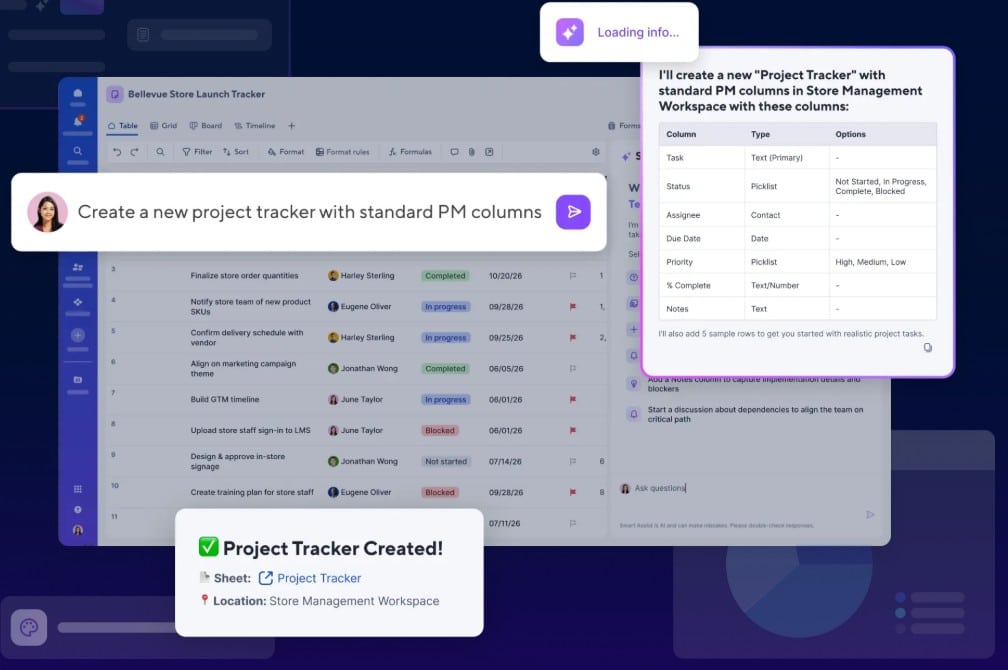
One of the most significant updates is Smart Assist. Built directly into Smartsheet, Smart Assist allows users to interact with project data using natural language. Teams can ask questions about project health, resource capacity, risks, or status updates without manually navigating reports and dashboards.
The capability extends beyond Smartsheet through the Smartsheet MCP Server, which connects Smartsheet with AI assistants that support the Model Context Protocol (MCP), including Claude, ChatGPT, and other compatible AI platforms.
The adoption numbers are notable. Within days of general availability, users generated more than 1.74 million AI-driven actions through the MCP Server. This level of activity suggests companies are already moving beyond experimentation and finding practical applications for AI-assisted work management.
Making visibility easier to create
Executive reporting has traditionally required considerable setup and ongoing maintenance. Smartsheet is reducing this burden through AI-powered dashboard and chart creation.
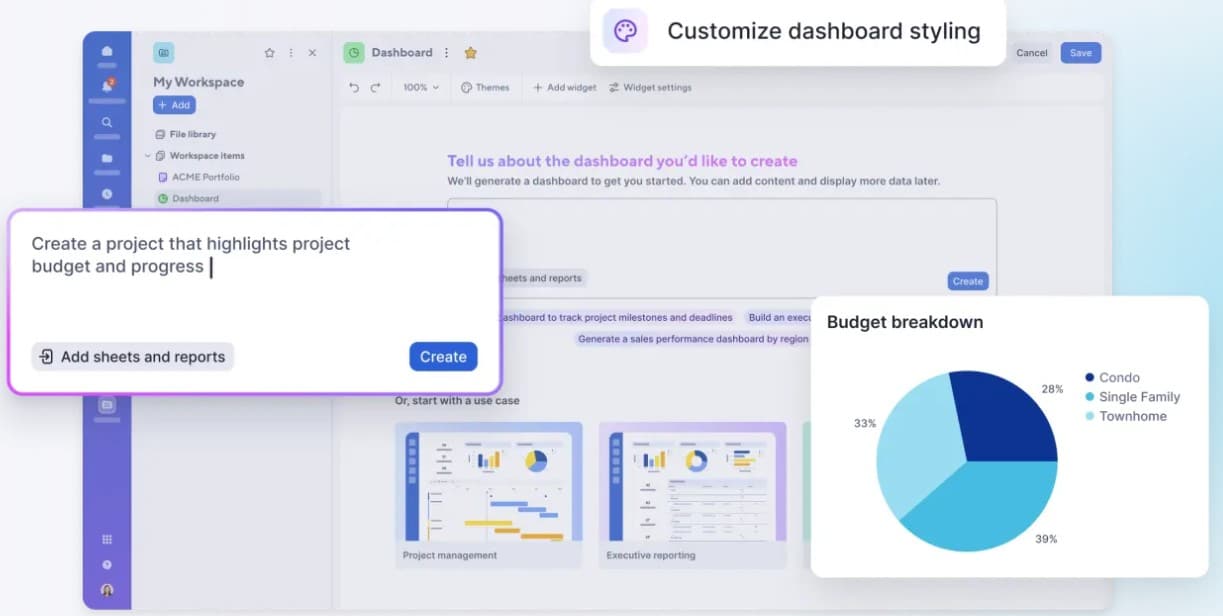
Users can now describe the dashboard they want, select source sheets, and enable AI to generate a dashboard automatically. AI-powered charts further simplify reporting by transforming project data into visual insights with minimal effort.
Smartsheet has also introduced AI-powered search filtering. Instead of manually navigating folders and workspaces, users can locate assets through plain language queries. For organizations managing large environments, this improvement can reduce time spent searching for information. Together, these capabilities make visibility easier to create and maintain.
Bringing AI into the data
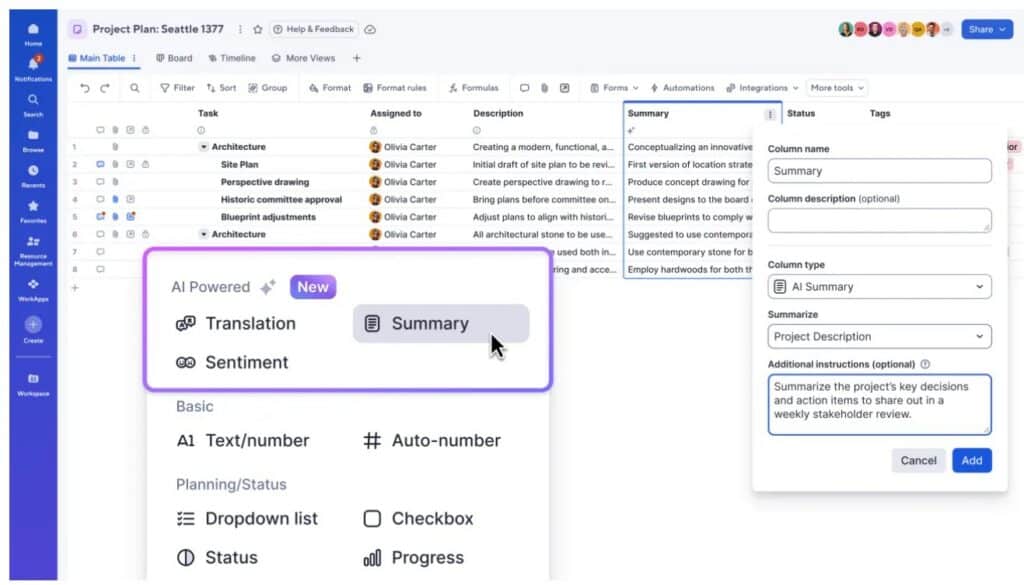
Smart Columns may be one of the most practical AI releases so far. T Instead of exporting information to separate tools, users can transform large datasets within the workflow where work already happens.For companies managing customer feedback, operational requests, project updates, or multilingual content, Smart Columns reduce repetitive analysis and accelerate decision-making. The value comes from keeping AI embedded within existing processes rather than creating another destination users must learn.
Stronger portfolio management capabilities
Recent releases also strengthen Smartsheet’s project and portfolio management offering. Portfolios and Scenario Planning are now generally available for enterprise customers.
Scenario Planning allows leaders to model staffing, scheduling, and resource allocation options before making changes to live plans. Teams can compare alternatives, evaluate tradeoffs, and select the best path forward.
Portfolios provides a structured framework for managing related projects and improving consistency across initiatives. For organizations managing dozens of projects, it offers a practical entry point into portfolio management, while larger enterprises can continue leveraging Control Center for broader governance and scale.
How governance is evolving alongside AI
As AI adoption accelerates, governance remains a priority. Several recent releases address that need. Microsoft Intune Mobile Application Management support now enables teams to enforce mobile security policies within the Smartsheet app. This helps resolve a common challenge between field accessibility and IT security requirements.
Open Link Sharing and Domain Sharing introduce new collaboration options while maintaining administrative oversight. Contributor seats reduce another long-standing barrier by allowing internal users to comment and add attachments without increasing licensing costs. Collaboration expands while governance remains intact.Measuring what matters
One of the most revealing findings from recent Smartsheet research is that 97% of project management leaders are already using AI. The challenge is proving value.
Many organizations struggle to measure whether AI is reducing effort, improving visibility, or accelerating decisions. Without measurable outcomes, it becomes difficult to justify investment or scale successful initiatives.
The most effective approach is often simple. Start with a single process, establish a baseline, implement AI support, and measure the results. Small, measurable wins often create the strongest foundation for broader adoption.
How the future is taking shape
These releases reveal a consistent direction. Smartsheet is building an intelligent work management platform where AI helps teams analyze project health, automate repetitive work, generate insights, create dashboards, and interact with business data through natural language.
What makes these developments compelling is their connection to real operational work. The focus remains on improving execution, increasing visibility, and helping companies make faster, more informed decisions. The 10xViz team is particularly excited to see how capabilities such as Smart Assist, Smart Columns, AI-powered dashboards, Scenario Planning, and MCP integrations continue to evolve.
For project leaders, operations teams, and executives, intelligent work management is rapidly becoming a practical reality rather than a future concept.
Want to explore how intelligent work management could improve visibility, reporting, and execution across your organization? Connect with the 10xViz team today at 10xviz.com/schedule to discuss your Smartsheet strategy.